See yourself older, or younger
Upload a front-facing photo and set two numbers: the age in the photo and the age you want to see. Same person, same expression, same background — only the age changes. Generated on our own GPU and deleted after seven days.
1Choose a photo
2Set the ages
Before you start
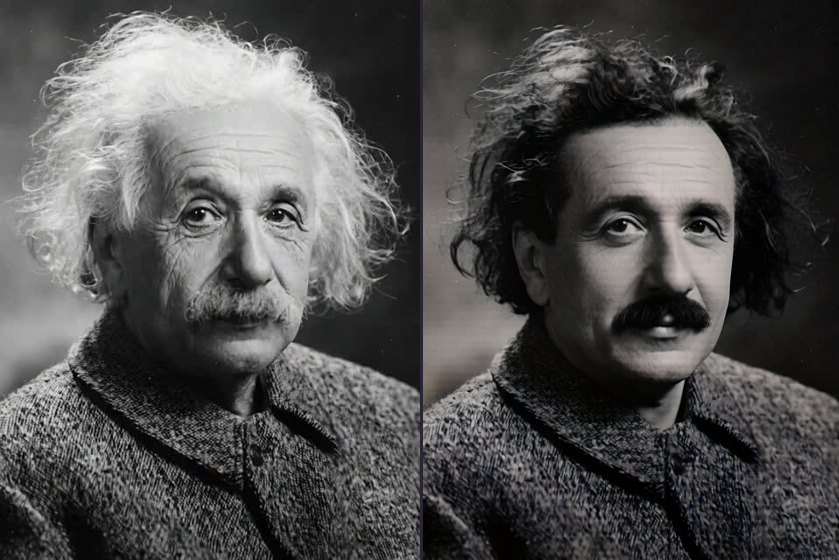
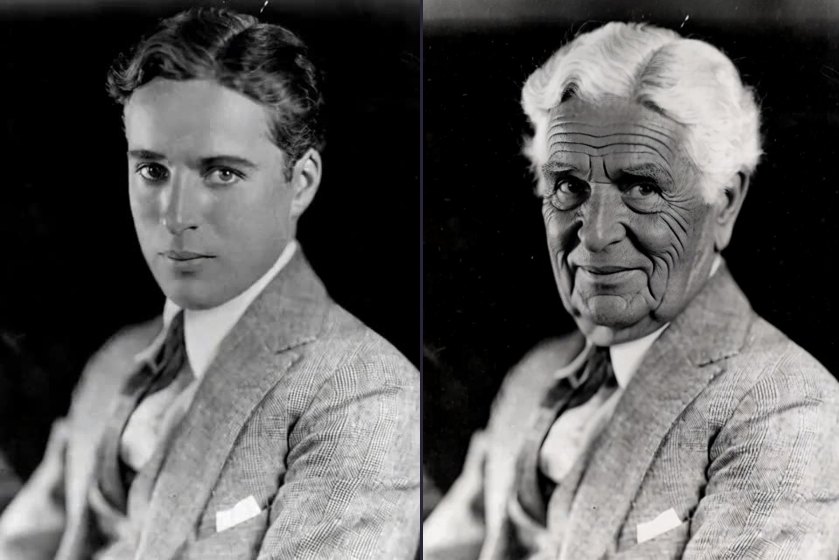
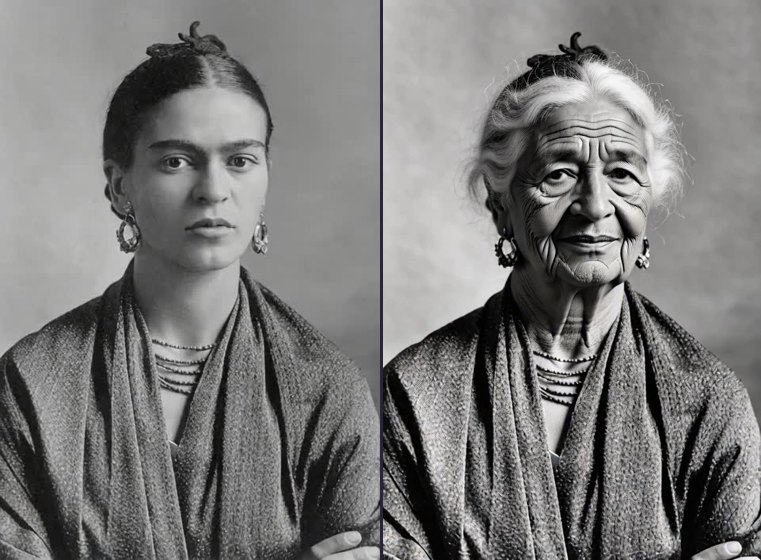
It changes age and nothing else
Same person, same expression, same clothes, same background, only the age differs. What changes is the material of the skin, how much it has slackened, and hair colour. The bone structure stays put: the shape and spacing of the eyes, the shape of the nose and the outline of the face should match the original. That is also the most reliable way to judge whether it is still the same person.
It does not restore photographs, so creases and mould marks stay. It does not colourise either. A monochrome original stays monochrome, because the instructions require it.
What the two age fields control
Current age in the photo is there to work out the gap, not to check anything. Reaching 70 from 30 and reaching 70 from 60 need completely different changes, and getting it wrong throws off the size of the whole edit.
Age you want to see sets the direction and the strength. The wider the gap, the more aggressive the edit and the easier it is to lose the sense that this is the same person. For a first run, try a small gap (say 40 now, 55 wanted) to confirm the model has a grip on this photograph, then widen it.
The lowest age you can ask for is 16. That limit is deliberate: turning an adult face into a child is too easy to misuse, so it is blocked in the code.
Why the sex field changes the result
Male and female faces age along different paths, and the jaw, brow ridge and facial hair are described differently. Choosing wrong breaks nothing, but the result grows in the other direction. If you are unsure, leave it unspecified: the model uses neutral wording, which is steadier and changes less.
Which photographs work
Front-facing or close to it, a face filling a quarter of the frame or more, even light, one person in shot, eyes and mouth not covered. Profiles have a much lower success rate, because ageing is judged almost entirely from the front: nasolabial folds, eye bags, the jawline.
To judge sharpness, ignore the file size and the pixel count. Both of those numbers lie. Enlarge the photograph until the face fills your screen and look at the corners of the eyes, the corners of the mouth and beside the nostrils. If those are a blur, that blur is what the model sees. Upscaling a small image before uploading does not help, because scaling invents nothing. Broken examples are on the failure cases page, and the full set of rules is in the guide.
A known defect: expressions drift
While changing age, the model occasionally changes the expression too, so a stern face ends up faintly smiling with the eyes narrowed. The instructions have always required the expression to match the original, and a harder version of that rule (do not narrow the eyes, do not smile if the original is not smiling) gave the same output on the same random seed.
The problem is not the wording. This is what the model does at the current fidelity setting. Run it again if you hit it, since every run uses a different seed. It is written here rather than hidden because you will come across it eventually, and the comparison images are on the examples page.
How long it takes
About 40 seconds an image. Most of that is not the computation. Encoding the photograph and the instruction into something the model can read takes nearly 20 seconds on its own. The first image after an idle spell is noticeably slower, because the model has been swapped out of video memory. The two tools share one GPU and one queue, so at busy moments you wait.
What happens to your photograph
The whole generation happens on a GPU in a room at home, with no third-party AI API involved. Your upload and the result are both deleted after seven days, and no training step reads your files. No account is needed; there is a free allowance every day.
Ask before you upload a photograph of somebody else. Running another person's face through an age simulation and then sharing it can infringe their personality rights, and an automatic content check cannot tell whether the person in the photograph knows about it.
More questions
Cost, commercial use, and what to do when the result does not look like the person are all in the FAQ. For the routing table, how loose source fidelity has to be, and why child-to-adult measures the face against the frame, see how it works.